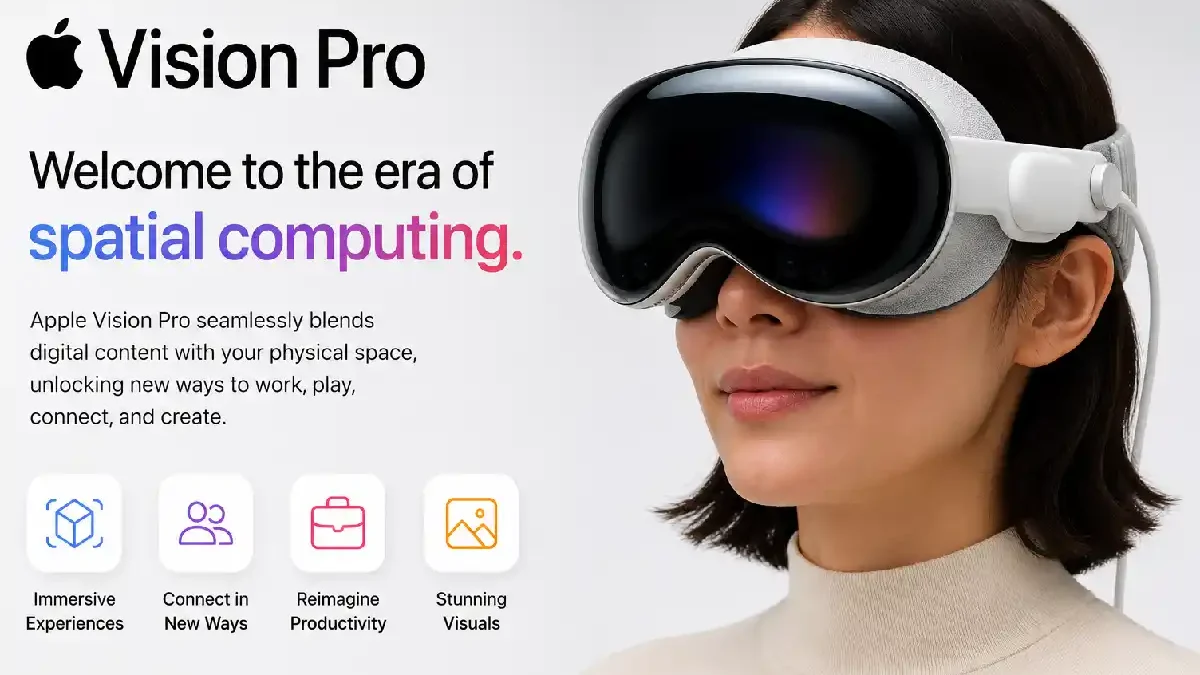
The Apple Vision Pro is a spatial computer created by Apple, combining digital content and the user’s physical environment. Instead of being similar to a conventional smartphone, tablet or laptop computer, the device combines cameras, sensors, screens and spatial interfaces to produce an immersive computing environment.
The new device has been launched as a new approach to interacting with apps, entertainment content, photos, videos and productivity tools. Users can manipulate digital content with their eyes, hands and voice, instead of using a physical keyboard, mouse or touchscreen.
Spatial computing has become a very attractive idea because it changes the way users interact with digital content. Instead of seeing all content on a flat screen, applications may now appear as floating windows in the environment.
Table of Contents
What Is Apple Vision Pro?
Apple Vision Pro is a spatial computer headset that integrates digital content and the user’s physical environment.
The device can present applications, websites, videos, images, and any other kind of digital content in the user’s environment. Users can position and resize windows and interact with them using eye tracking and hand gestures.
According to Apple, the new device is built to support spatial computing, and its operating system is called visionOS.
The product combines hardware and software solutions to produce an immersive experience that may be used to entertain, work, communicate, play games, and much more.
How Does Apple Vision Pro Work?
Vision Pro uses cameras and sensors to recognize the environment and movements of the user.
The system detects where the user is looking and hand gestures. This feature allows users to select an item by looking at it and performing a gesture.
For example, users can look at an application icon and touch their thumb and index finger to select the icon.
The interaction model is not similar to the one used by traditional computers.
Instead of:
Mouse → Cursor → Click
Vision Pro can use:
Eyes → Hand Gesture → Selection
Voice input via Siri and dictation provides another option to interact with applications.
visionOS
visionOS is a new operating system developed by Apple for spatial computing.
The interface allows applications to appear as floating windows in the user’s environment.
Users can:
- Open multiple applications
- Resize windows
- Move windows
- Watch videos
- Surf the web
- View photos
- Use productivity applications
- Communicate with other people
- Use compatible iPhone and iPad applications
Entertainment With Apple Vision Pro
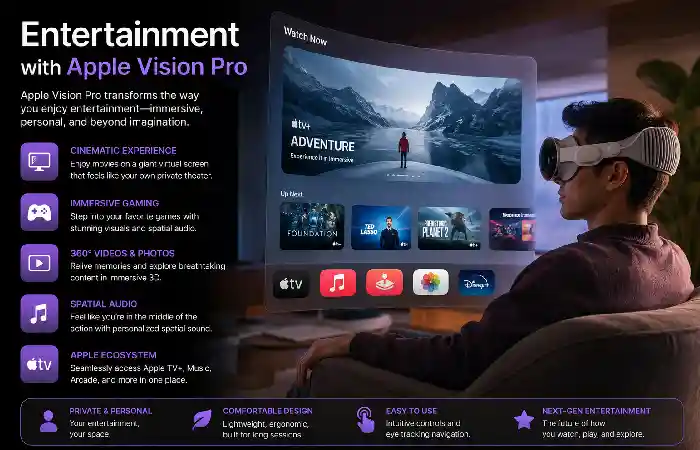
One of the primary usage areas for Vision Pro is entertainment.
It is possible to create a large virtual viewing area for watching movies and other video content.
Instead of watching a movie on a TV, users can have a large virtual screen while staying in their environment physically.
Also, it is possible to create immersive video experiences that will benefit from spatial video and 3D presentation.
Spatial Photos and Videos
With Apple Vision Pro, it is possible to show photos and videos with depth information.
Especially interesting here will be those memories made using compatible Apple products.
Spatial photos will create the feeling of depth instead of being absolutely flat.
Also, users can take spatial pictures with compatible devices and then view them later with Vision Pro.
Productivity with Apple Vision Pro
Apple Vision Pro will be useful for working and being productive. Multiple application windows can be placed around a physical environment.
For example, a workspace might include:
- web browser
- messaging
- document
- video call
- calendar
- reference materials
Thus, instead of working with multiple windows on a single monitor, users can move applications around them.
Apple Vision Pro for Remote Work
Also, remote workers can use Vision Pro for virtual meetings, editing documents, browsing the web, and communicating.
The device will allow creating a workspace without the need to assemble many physical monitors.
However, the comfort level is very important during long working periods.
The headset will be quite a different experience compared to working at a desk.
Also, each user might have different preferences regarding such setups.
FaceTime and Communication
For communication, Vision Pro will use the Apple ecosystem.
Thus, FaceTime calls will be able to use spatial presentation features to make conversations natural.
Apple introduced the concept of Persona, a user’s digital representation for certain video communication experiences.
Apple Vision Pro for Gaming
Gaming is another potential use case.
Vision Pro can run compatible games and support different control methods.
Users can interact with some experiences using their hands, while compatible controllers can be used for games that require physical controls.
The platform also provides access to compatible games through Apple’s software ecosystem.
Spatial gaming can make certain experiences feel more immersive by placing digital elements around the player.
Apple Vision Pro and Augmented Reality
Vision Pro combines virtual and augmented reality concepts.
Rather than completely blocking the physical world, the device uses cameras to provide a view of the user’s surroundings while placing digital content within that environment.
This makes it possible to interact with digital windows while still seeing the room around you.
This combination is often described as mixed reality or spatial computing.
Key Apple Vision Pro Features
| Feature | Description |
| visionOS | Operating system designed for spatial computing |
| Eye tracking | Allows users to select and interact through gaze |
| Hand tracking | Enables gesture-based interaction |
| Voice control | Supports Siri and dictation |
| Spatial audio | Creates immersive sound positioning |
| High-resolution displays | Provides detailed visual content |
| Spatial video | Adds depth to compatible video content |
| App ecosystem | Supports spatial and compatible applications |
| FaceTime | Provides immersive communication features |
| Mixed reality | Combines digital content with the physical environment |
Apple Vision Pro Hardware
The headset includes several hardware components working together.
These include:
- High-resolution displays
- Cameras
- Sensors
- Eye-tracking systems
- Hand-tracking systems
- Speakers
- Microphones
- Processor
- Battery system
The hardware was made by Apple in a way that supports real-time interaction with the surroundings.
The processor is necessary because spatial computing involves processing real-time input from the camera, graphics, applications, and user interactions.
Apple Silicon
Vision Pro is based on the custom silicon developed by Apple.
In the original Vision Pro, both M2 and R1 chips were introduced.
The M2 chip ensures computing capabilities, while the R1 is responsible for processing input from the headset cameras and sensors in a low-latency manner.
This is crucial because the device needs to react in real time to movements and changes in the surroundings.
Battery and Portability
Vision Pro relies on an external battery instead of having the whole battery system inside the headset.
The battery connects to the headset via a cable.
This approach helps to control the total weight and hardware requirements of the headset, but it implies that users have to carry the battery during usage.
The battery life of the device varies depending on how the device is used.
Intensive applications and immersive experiences may require more power than simple usage.
Apple Vision Pro Applications
Apple Vision Pro application ecosystem consists of applications dedicated to spatial computing as well as applications compatible with the Apple ecosystem.
Potential categories of applications may be as follows:
- Productivity
- Entertainment
- Education
- Communication
- Design
- Gaming
- Travel
- Health & Fitness
- Creativity
Developers can develop applications that benefit from spatial interfaces.
Why Developers Would Be Interested in Vision Pro
Vision Pro offers developers opportunities for experimentation with new interaction models.
Traditionally, applications are created to work with flat screens.
Applications designed for spatial interfaces can use:
- Depth
- 3D objects
- Room positioning
- Hand gestures
- Eye tracking
- Spatial audio
For instance, in the case of the design application, users would be able to analyze a three-dimensional object from various perspectives.
Benefits of Apple Vision Pro
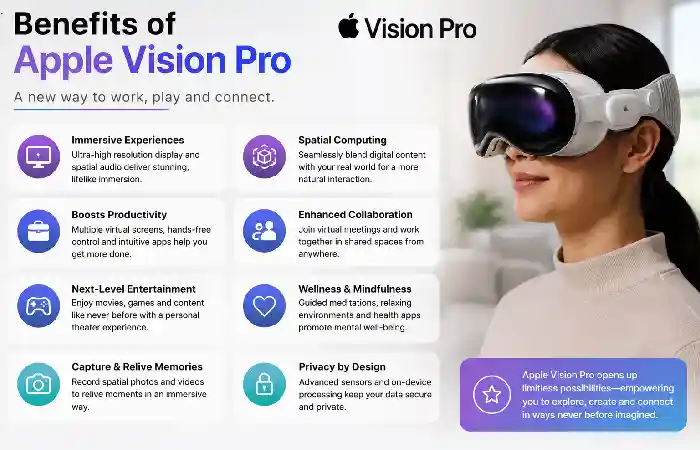
Immersive Experience
The digital content could be integrated into the surrounding environment.
Natural Interaction
Eye tracking and hand gestures could serve as an alternative to classic controllers.
High-Quality Displays
Detailed displays would be needed for video content, photography, productivity, and various applications.
Spatial Audio
Immersive audio could make communication and entertainment better.
Large Virtual Workspace
It is possible to place multiple application windows around oneself.
New Developer Opportunities
Developers could create applications designed specifically for spatial computing.
Potential Limitations
There are also potential limitations to consider when choosing Vision Pro.
Price
It is marketed as an expensive computing device.
Weight and Comfort
It is possible that some people would find it uncomfortable to wear the headset all the time.
Battery
An external battery is yet another part to be managed by users.
App Availability
The spatial application ecosystem would not be as big as Apple’s already popular ecosystem of iPhone and iPad applications.
Learning Curve
Users would need time to get used to eye- and hand-based interactions.
Apple Vision Pro vs Traditional Displays
A traditional monitor provides a fixed physical display. Vision Pro creates virtual screens that can be positioned around the user.
| Category | Traditional Monitor | Apple Vision Pro |
| Display | Physical screen | Virtual spatial displays |
| Position | Fixed | Adjustable |
| Multiple screens | Requires multiple monitors | Multiple virtual windows |
| Portability | Limited | Wearable |
| Interaction | Mouse and keyboard | Eyes, hands, voice, accessories |
| Immersion | Standard | High |
| Physical environment | Separate from display | Digital content integrated with environment |
A traditional monitor could be more practical during long office sessions, whereas Vision Pro could provide an immersive experience for some tasks.
Conclusion
Apple Vision Pro demonstrates how Apple approaches spatial computing technology. The device combines high-resolution displays, eye tracking, hand gestures, spatial audio, cameras, and visionOS into a wearable computing platform.
The device could be used for entertainment, productivity, communication, gaming, education, creative work, and many other tasks. The ability to position digital windows around the user makes the experience unique compared to traditional monitors and mobile devices.
However, it is necessary to pay attention to some aspects such as price, comfort, battery, and availability of applications.
With the development of spatial computing technology, Apple Vision Pro becomes a significant example of how computers can go beyond the screens of traditional monitors and mobile devices.